How to Stake or Delegate to a Pool in Yoroi or Daedalus wallet
Prerequisites:
- Make sure your device is safe and cleaned. Not jailbreak, root, unlock bootloader or any kind of them;
- Already installed Yoroi app from Appstore (iOS) or Google Play (Android);
- Already known how to store spending password, recovery phrase and send/receive ADA between wallet and trading platforms such as Binance, Coinbase.
Follow this guidance may help you to delegate/stake to a pool.
I. How to Stake/Delegate to a pool in Yoroi wallet
Step 1. Start Yoroi app
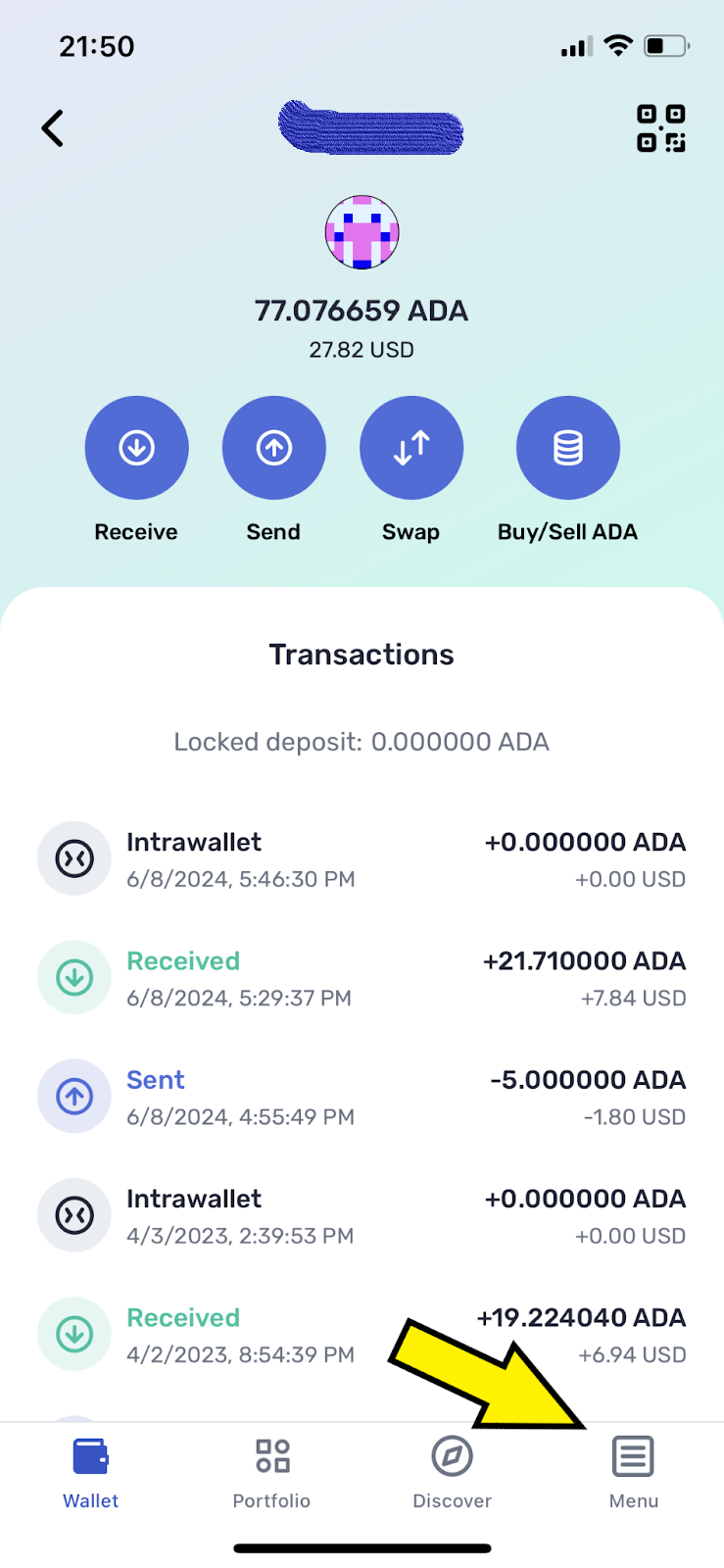
Step 2. Go to {Menu}
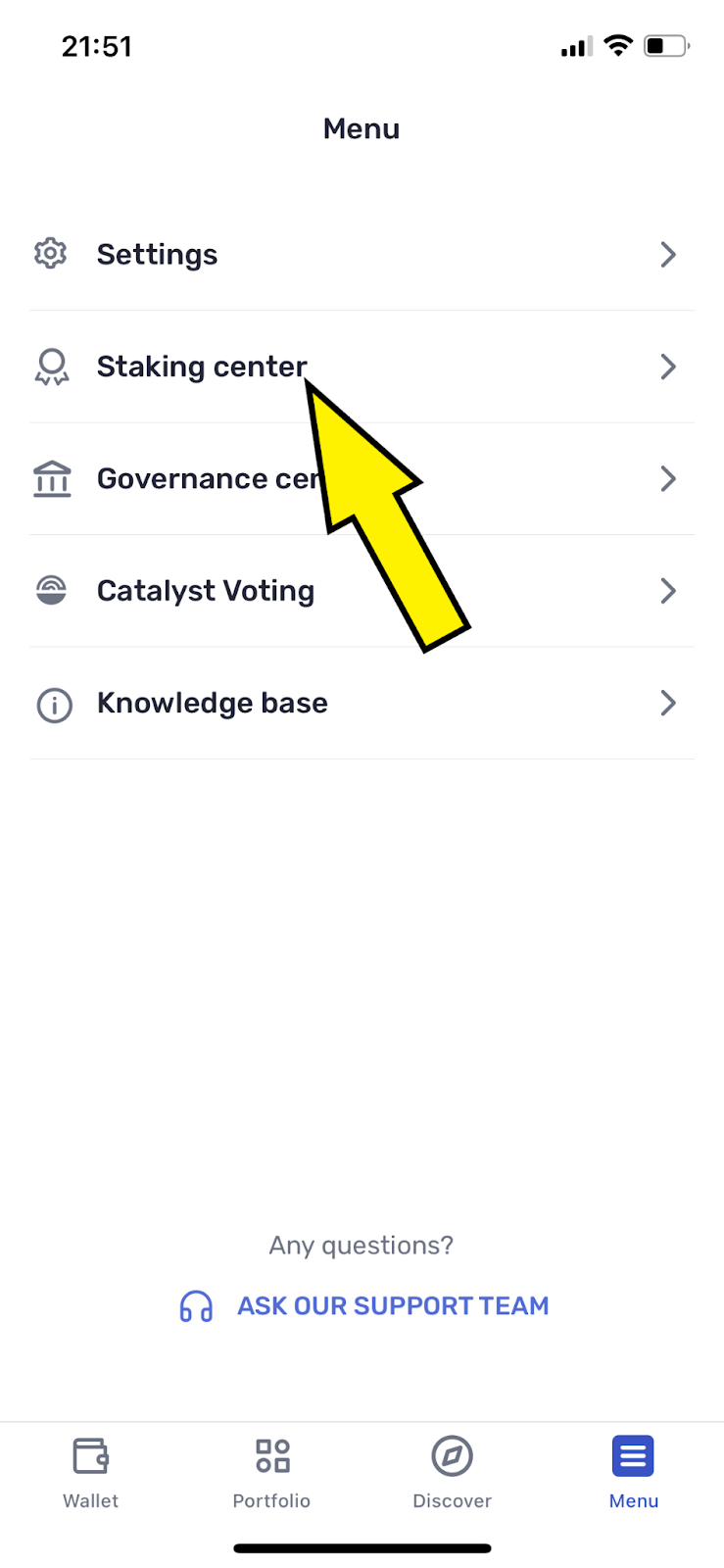
Step 3. Go to {Staking center}
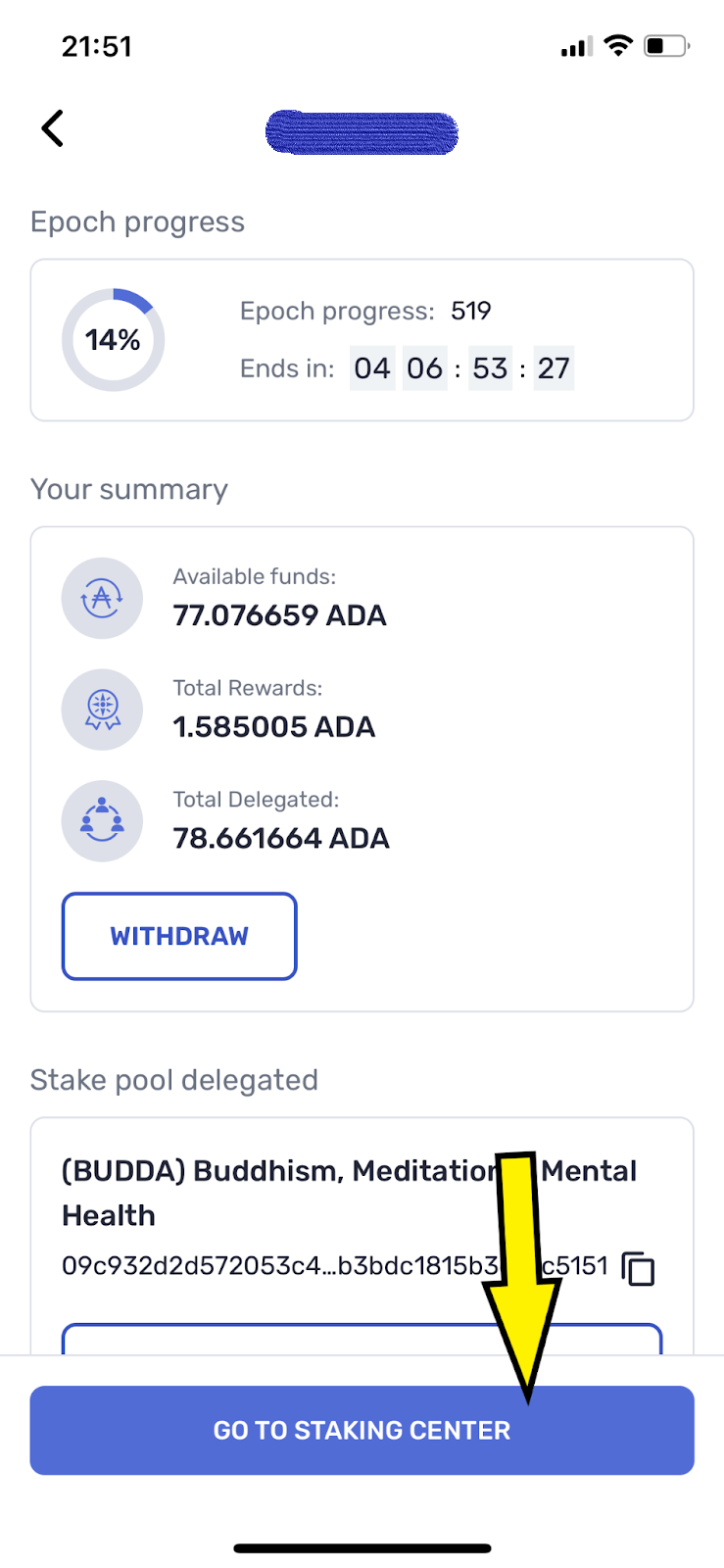
Step 4. Tap {GO TO STAKING CENTER}
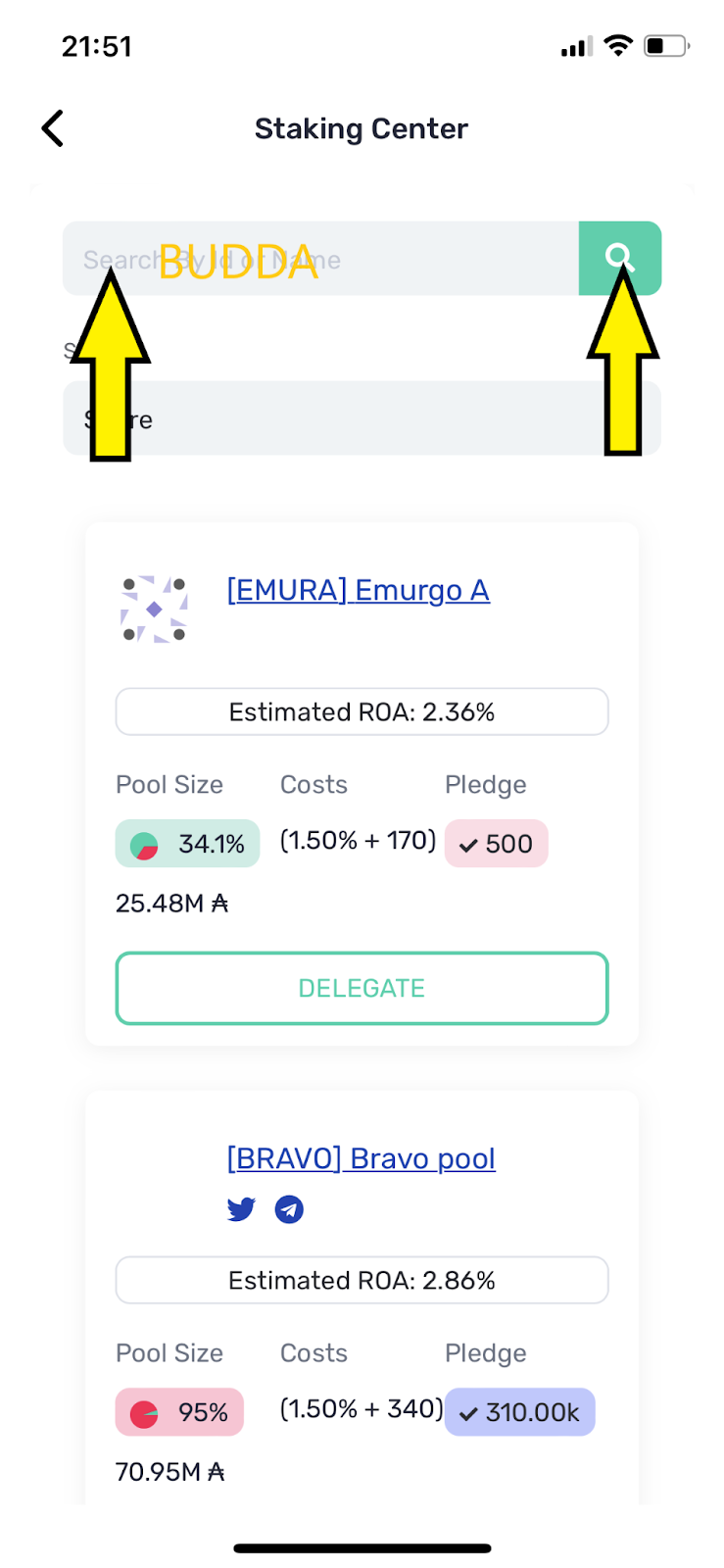
Step 5. Tap Search area, Type "BUDDA" then Tap Search icon
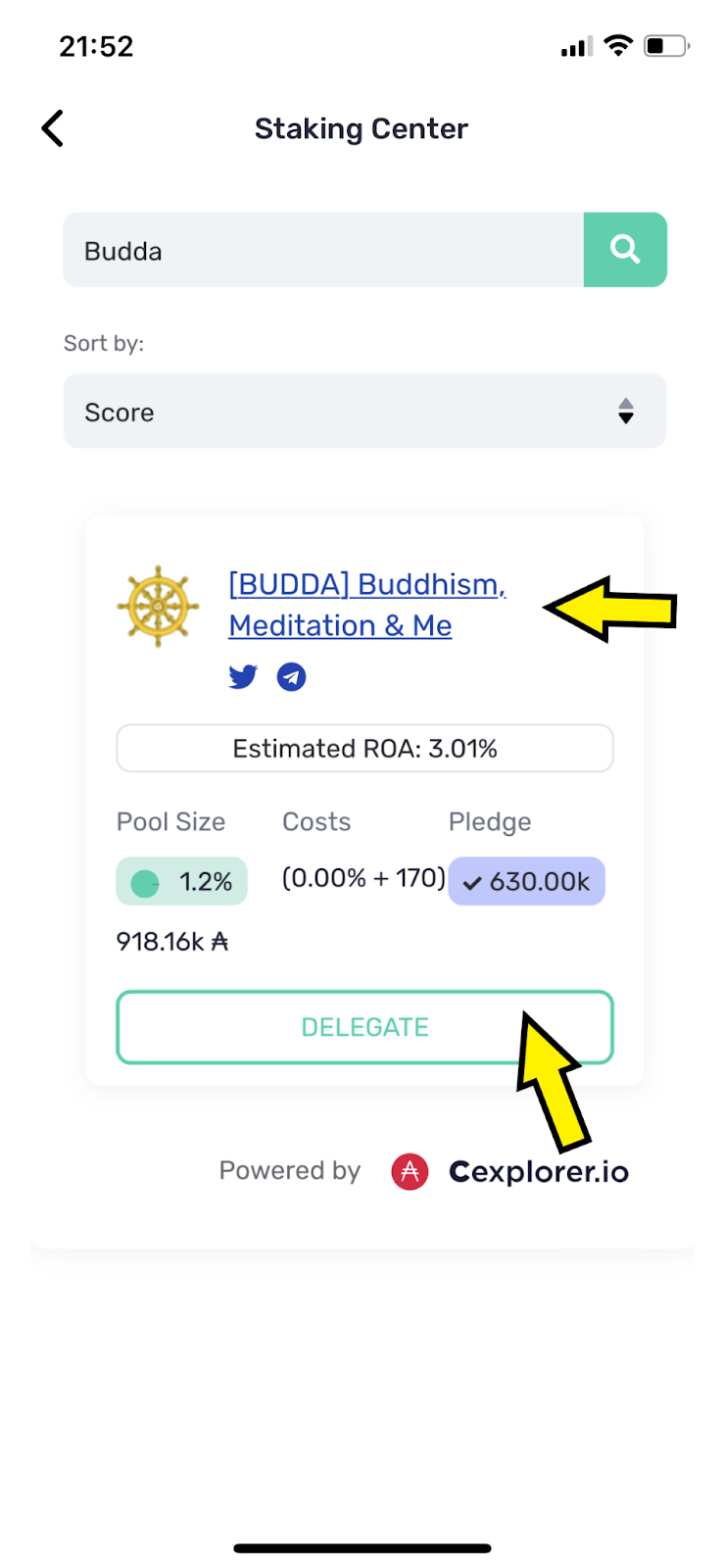
Step 6. When The [BUDDA] Buddhism, Mediation & Mental Health Pool appears, Tap {DELEGATE}
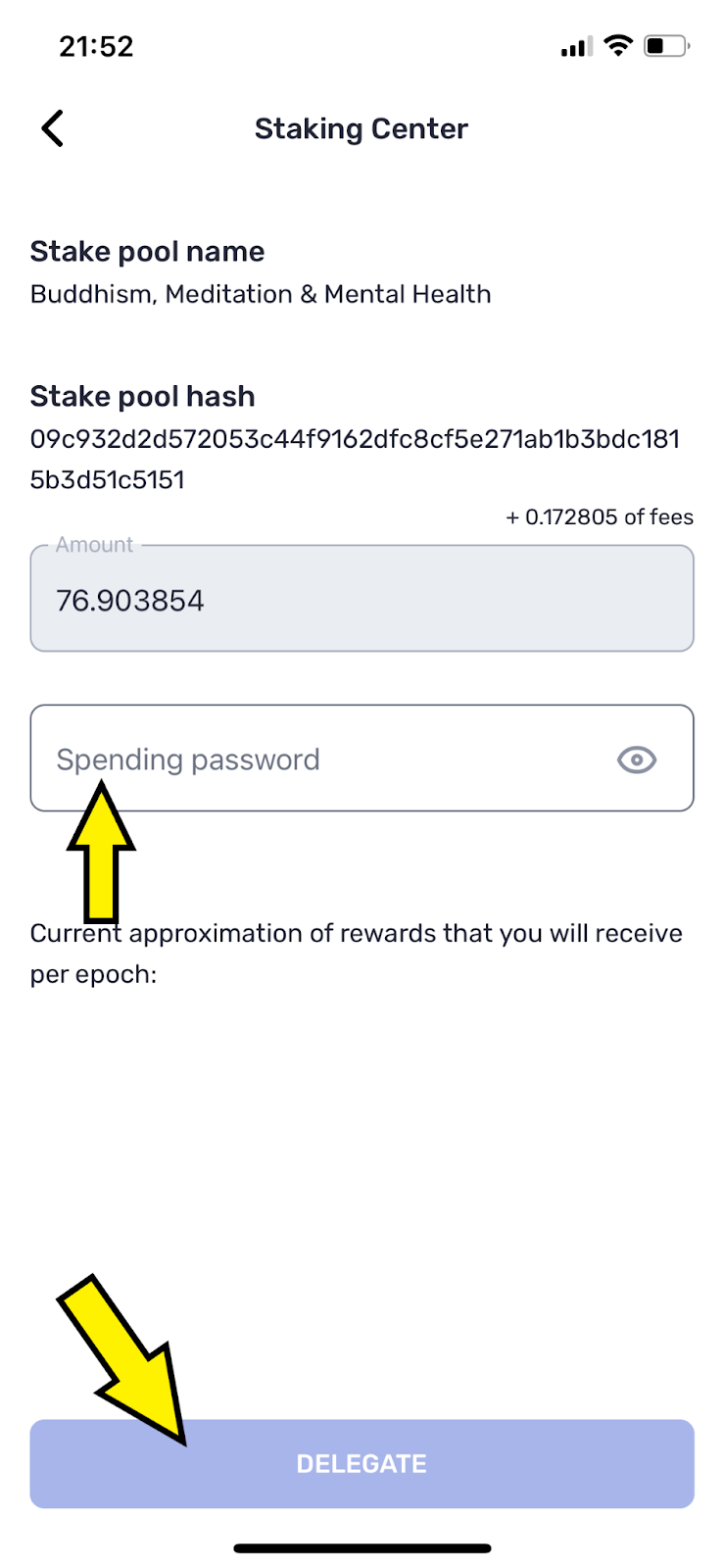
Step 7 (Final). Enter your Spending password then Tap {DELEGATE}
II. How to Stake/Delegate to a pool in Daedalus wallet
Step 1. Start Daedalus wallet
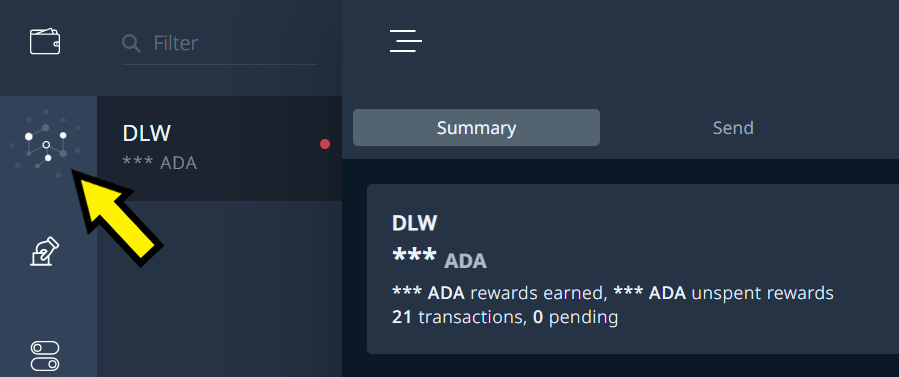
Step 2. Select {Staking} on Left Menu
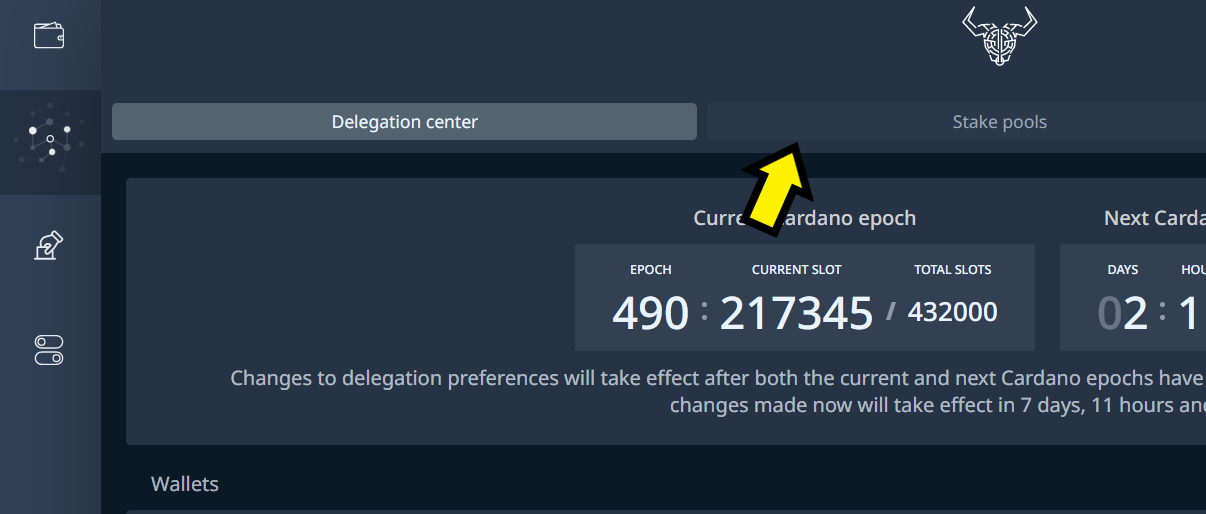
Step 3. Select {Stake pools}
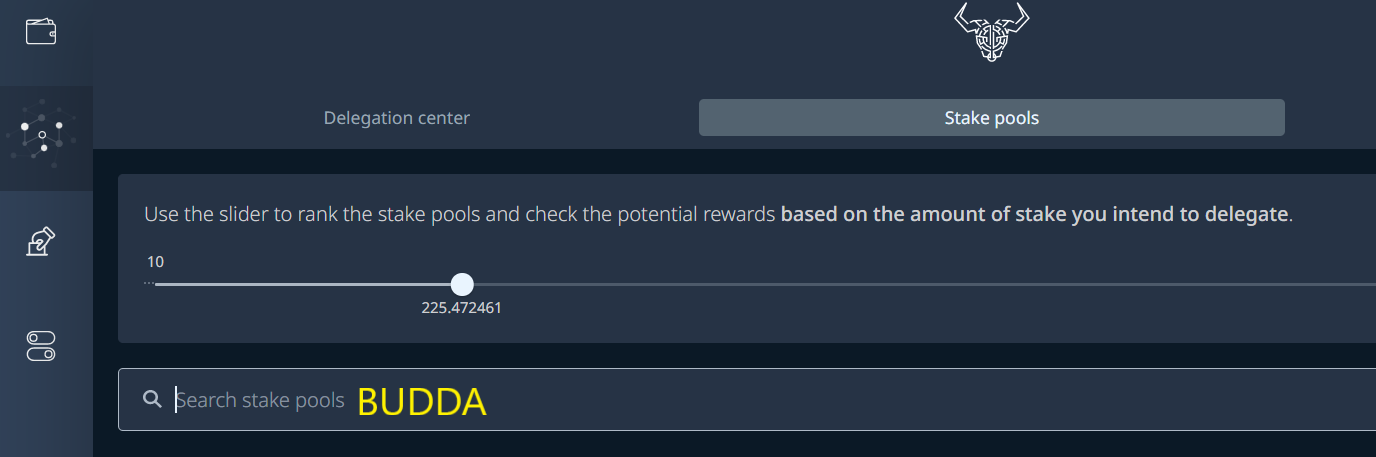
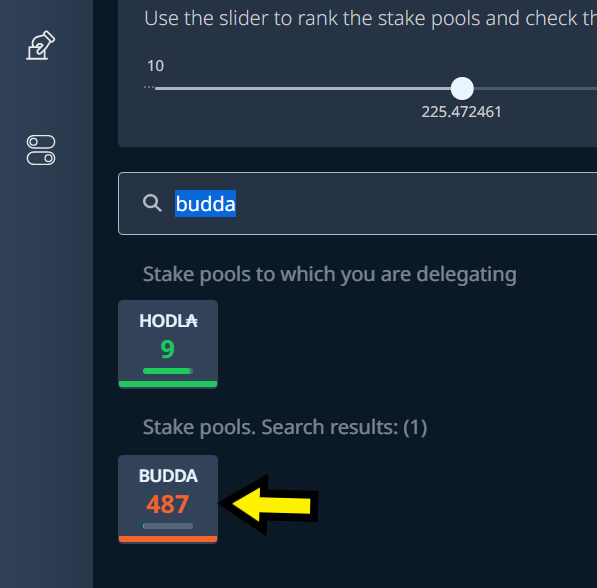
Step 4. Enter "BUDDA" into Search bar
Step 5. Select BUDDA pool
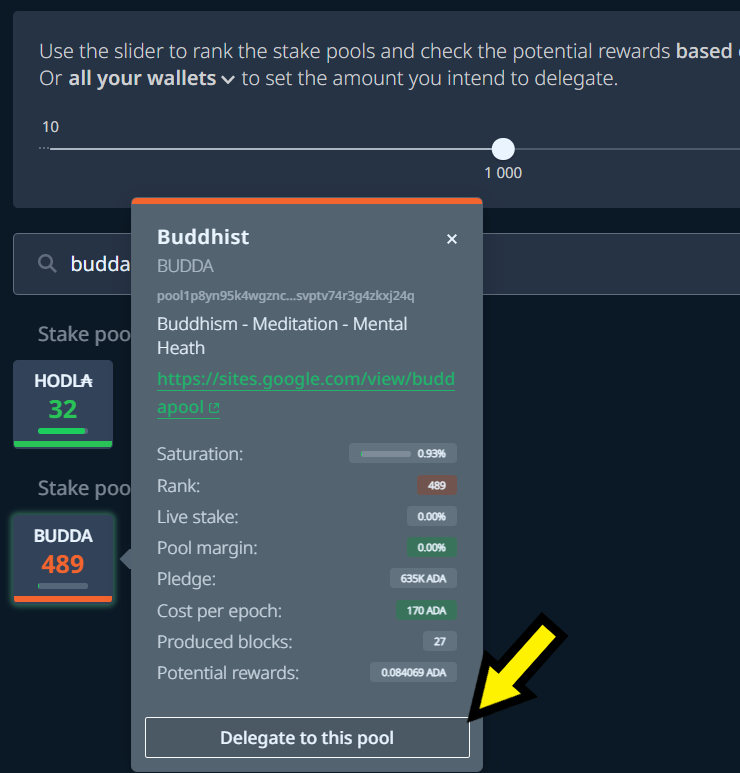
Step 6. Select {Delegate to this pool}
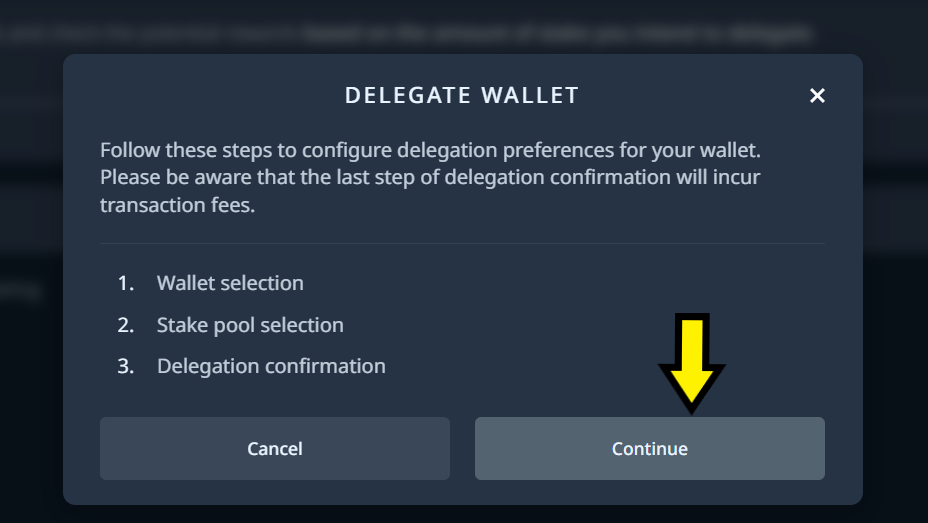
Step 7. Select {Continue}
Step 8. Select your wallet
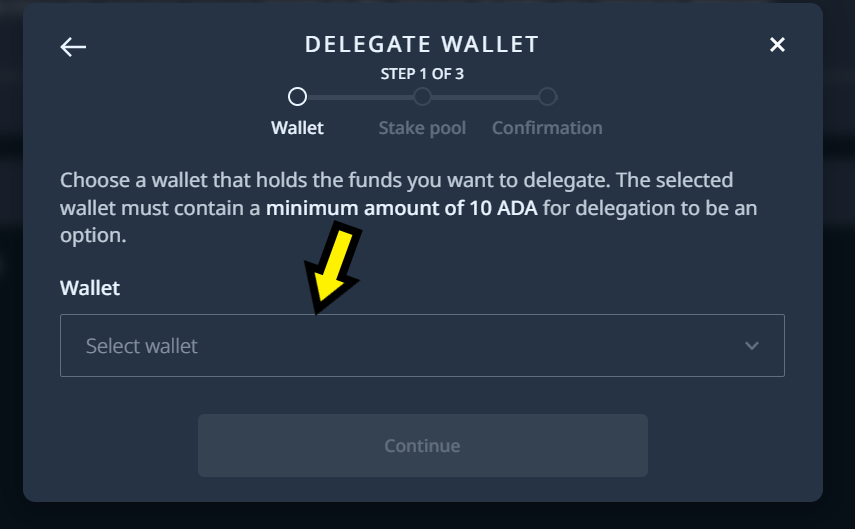
Step 9. Select {Continue}
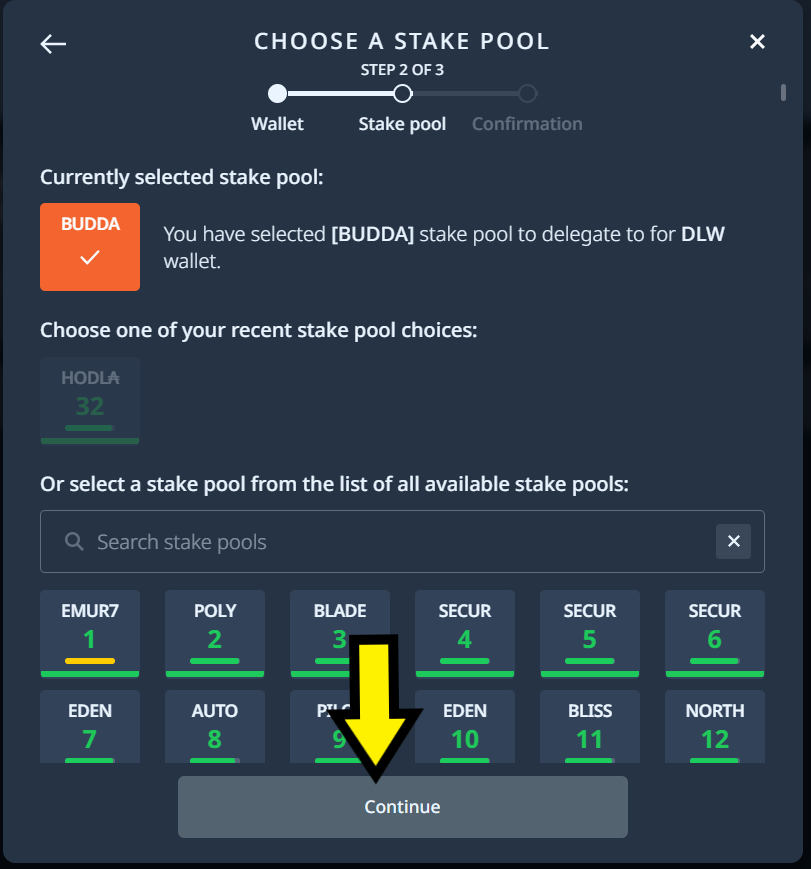
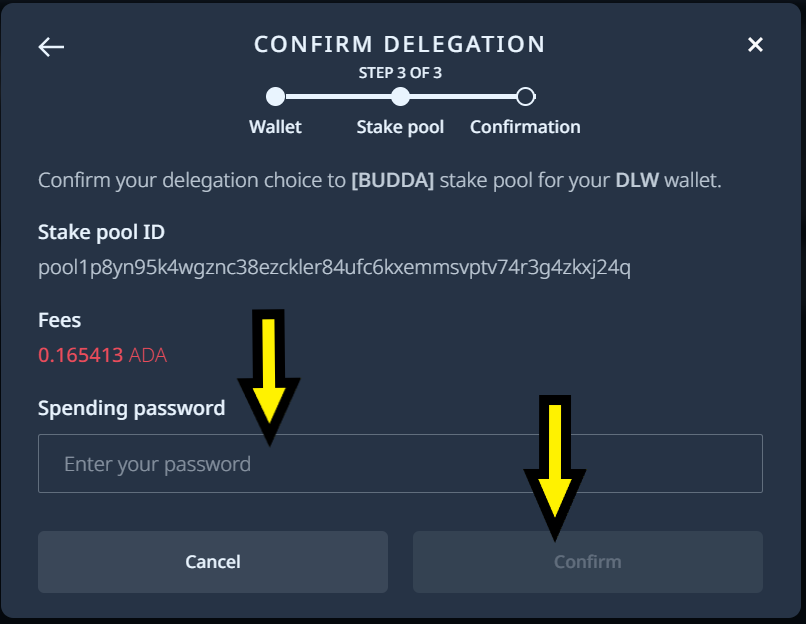
Step 10 (Final). Enter your Spending password then Select {Confirm}